Shopify catalogue fields that quietly hurt your Google Shopping listings
Keith Pillay · 30 September 2026 · 3 min read
When I started the Product Health Scanner, the plan was to check one thing: image size. Once the first version worked, the more interesting question was what else does a product record need to be ready for Google Shopping?
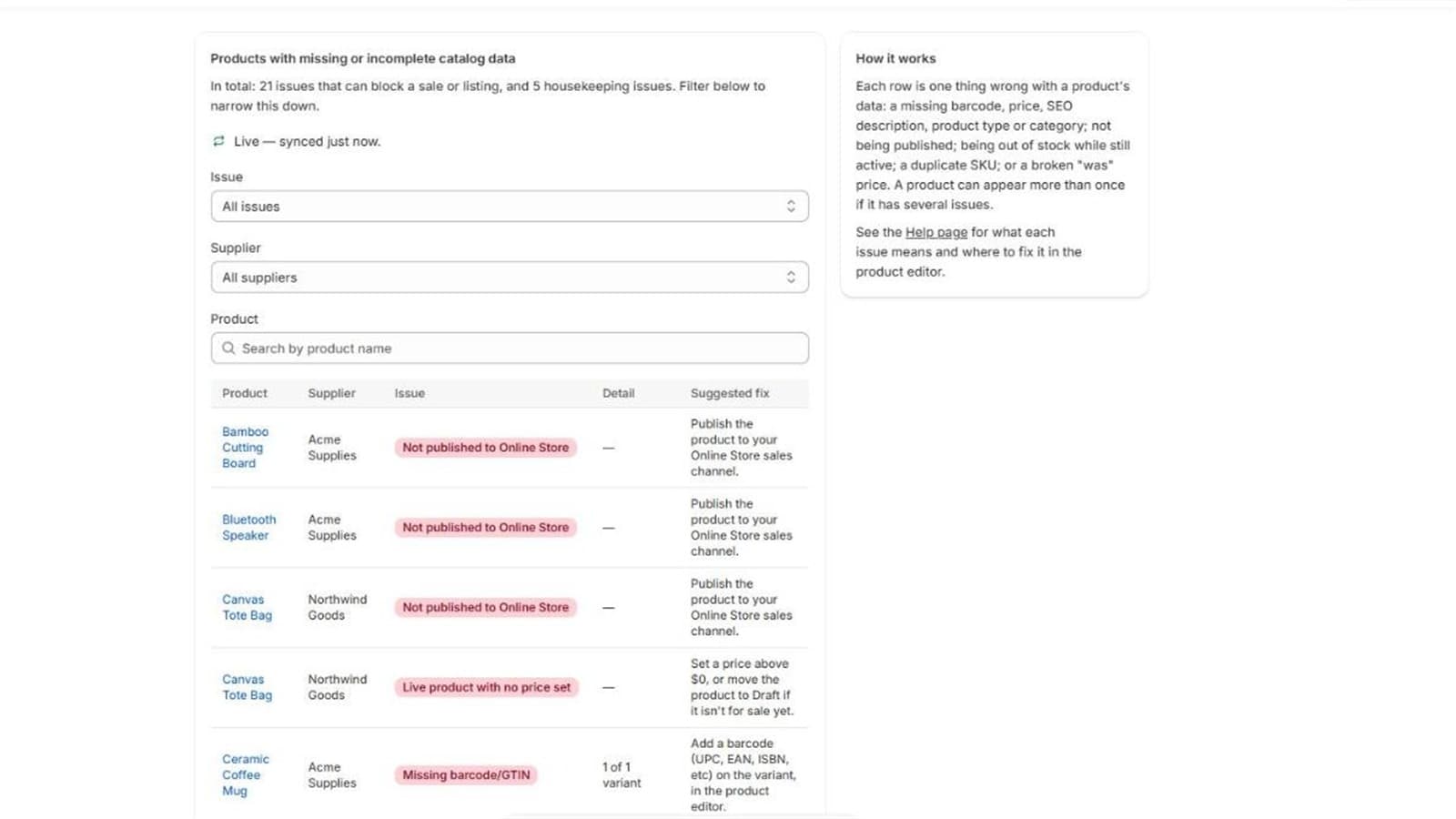
I added a set of catalogue-data checks, chosen by one rule: they must be readable with the read-only products scope the app already had. Here's what I check and, just as importantly, what I decided not to.
What I check
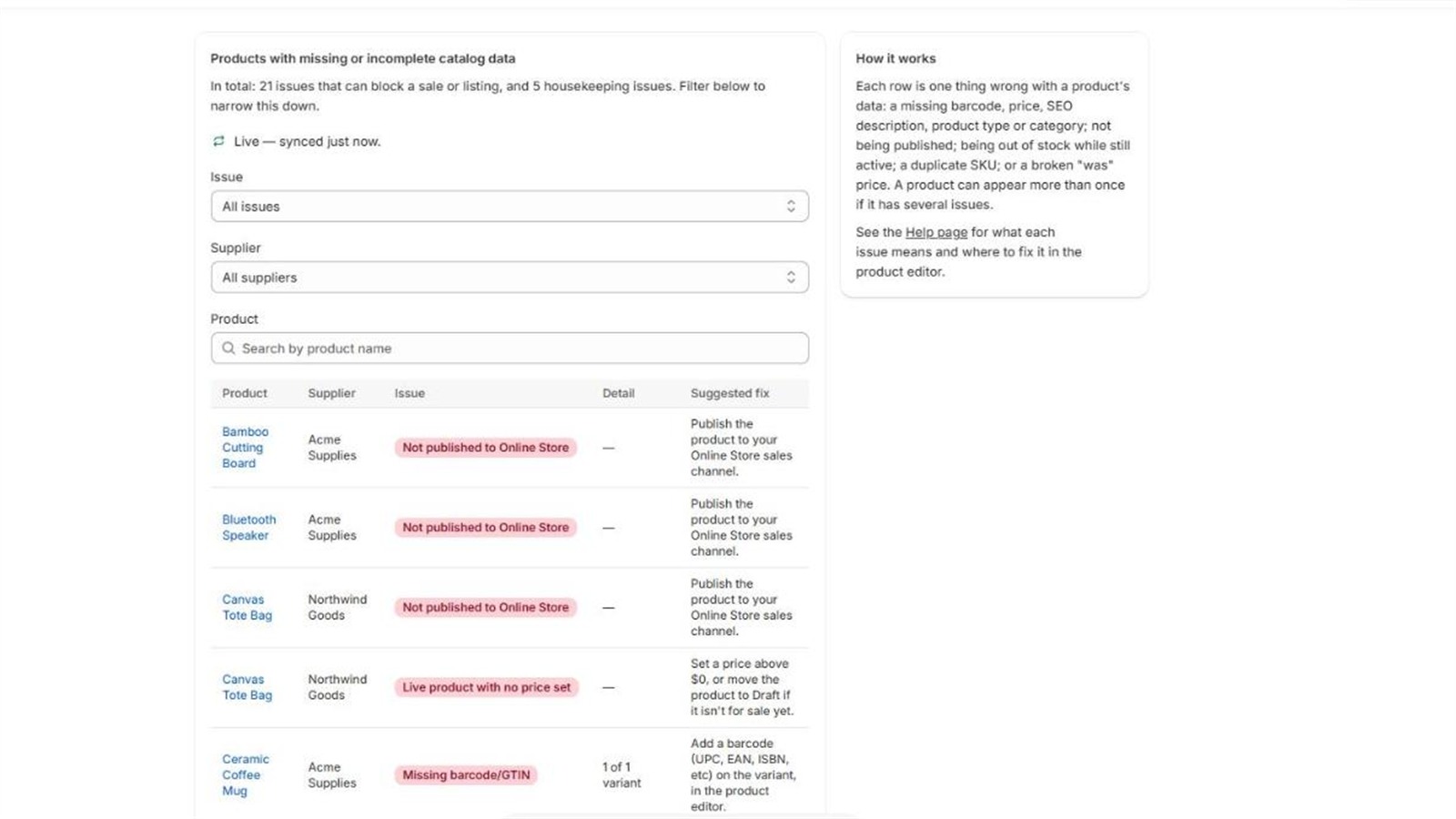
Missing barcode (GTIN). Flagged when at least one variant has no barcode. Product identifiers matter for matching and for some categories.
Live product with no price, or priced at zero. Flagged only when the product is active. A draft or archived product at zero is normal because it hasn't been priced yet, so flagging it would be noise.
Missing SEO description. Flagged when the product's SEO description is empty. It's cheap to fix and often forgotten.
Missing product type and missing standard category. I kept these separate on purpose. A product can have the old free-text product type, the newer standard category, both or neither, and Google increasingly favours the standardised taxonomy.
Not published to the Online Store. An active product with no online store URL probably won't reach Google Shopping either, whatever else is right about it. It's a strong signal for almost no cost.
Active but out of stock. An active product where no variant can currently be ordered (no stock, and no backorders allowed).
Broken compare-at price. A "was" price that isn't actually higher than the current price, so no valid sale strikethrough is shown.
Duplicate SKU. The same SKU on two or more variants, within a product or across products. SKUs are compared case-insensitively, because Shopify treats them that way.
What I chose not to flag
A scanner that cries wolf gets ignored. Some decisions:
- Draft and archived products at zero price. Normal, not an error.
- Product weight. I considered it and dropped it.
- Image file size. The API exposes pixel dimensions but not file size, so checking it would need an HTTP request per image: over a thousand extra round trips for a typical catalogue. That isn't lightweight, so it didn't make the cut.
- Anything needing extra permissions. A broader read scope is a bigger ask of merchants and a bigger review burden.
A health score, framed gently
All checks roll up into one number: the share of products with no issues of any kind. A catalogue where nobody ever filled in SEO descriptions, barcodes or categories scores 0%, which is accurate and also a harsh first impression.
I softened the framing deliberately: low scores read "Keep filling this in" or "Getting there" rather than "Needs work", and the badge is never red. The checks that can block a sale or listing are separated from the housekeeping ones. It's a checklist, not an alarm.
Honest limits
- The duplicate-SKU check only looks within the merchant's own catalogue.
- The out-of-stock check treats an unrecognised inventory policy value as orderable, a deliberate bias toward false negatives, so that a new value from Shopify can't cause false alarms.
- Products created through a raw bulk mutation don't fire the individual webhooks, so a full scan is the ground truth.
Writing down limits like these is part of making a tool people can trust. For more on that, see Pass, fail, unknown.