The gap — Google's 500×500 rule, and why merchants can't see it
Keith Pillay · 28 September 2026 · 3 min read
This is the first of three posts about taking my first Shopify App Store app from idea to submission. This one covers the why: the problem, the evidence, and the honest reasons I picked it. Part 2 is the build, and Part 3 is getting it through App Store requirements.
The deadline
If you sell on Google Shopping through Shopify, put 31 January 2027 in your calendar.
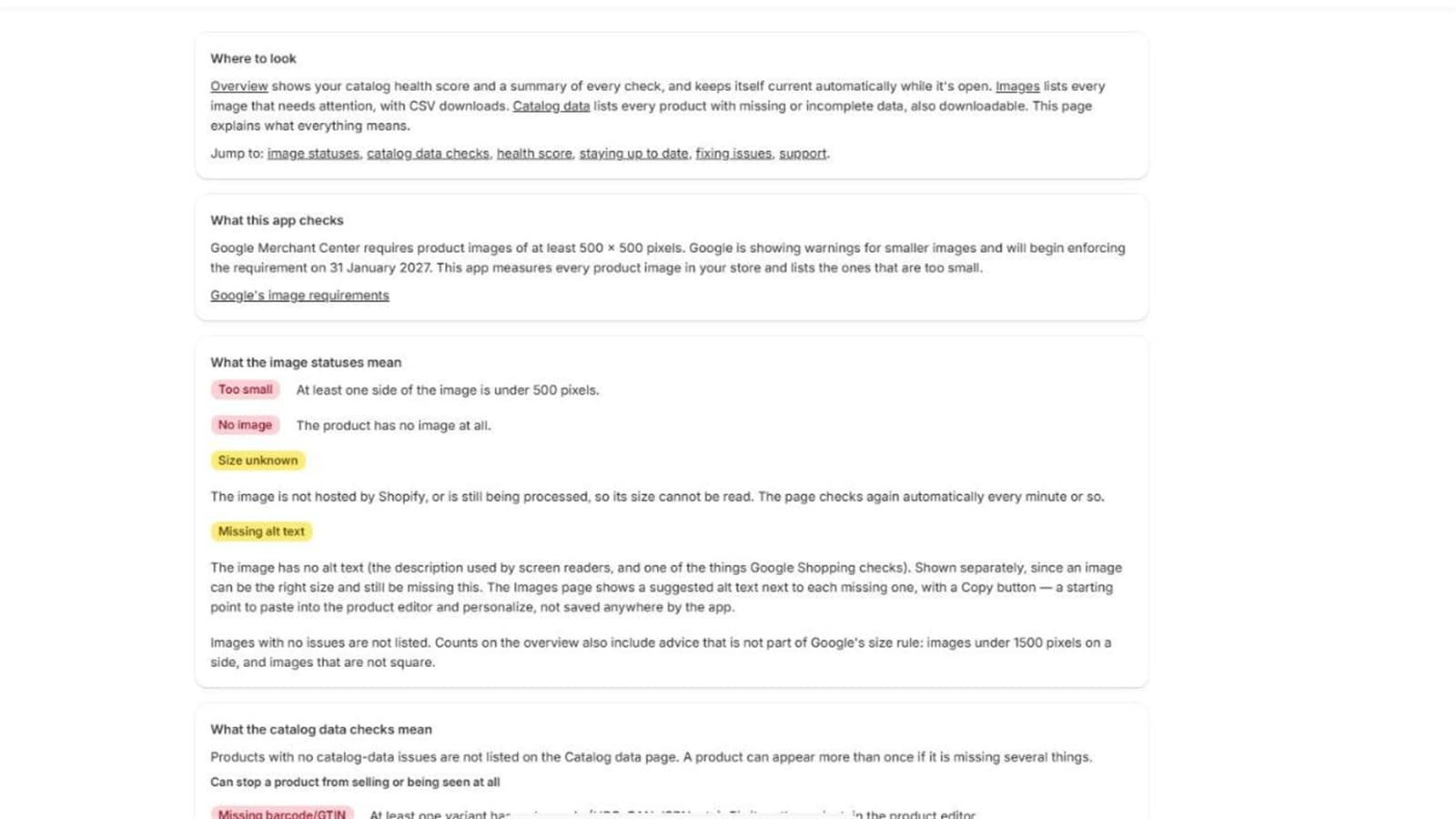
That is when Google Merchant Center starts enforcing a minimum size of 500 × 500 pixels for all product images. Until then the old floors apply: 100 × 100 for most products and 250 × 250 for clothing. Since July 2026, Google has been showing warnings on images that pass the old rule but fall short of the new one.
The gap
Open a product in the Shopify admin and you can see the image. You can't see, at a glance, that it is 480 × 480 pixels. Across a catalogue of a few hundred or a few thousand products, nobody is going to open every image and check.
So the usual discovery path is backwards. Products get warnings or disapprovals, someone notices a drop in Shopping traffic, and then the hunt begins.
The data to do better is already there. Shopify's Admin GraphQL API exposes the original pixel width and height of every product image. Nobody needs to download a single file to know which images are too small. What was missing was a tool that reads it for the whole catalogue and puts it in front of the merchant in a useful form.
Checking the market honestly
Before writing any code I checked whether the gap was real, and I tried not to flatter myself.
- The exact niche looked empty. Searching the App Store for Google Shopping image size tools turned up feed apps, image optimisers and size-chart apps, but no dedicated 500×500 scanner on the first page of results.
- The neighbourhood is crowded and mostly free. Feed apps and image tools are everywhere, and any of them could add a low-resolution check. Google's own Merchant Center also flags small images, eventually.
- Demand was unproven. This is a deadline-driven need, not an existing habit. A few newer audit-style apps had launched with no reviews yet, which told me the idea was in the air but nobody had won it.
That shaped two decisions. A paid-only product was a weak bet, so the plan became a free scan with a possible low-cost monitoring tier later. And I would treat the app as a CV line and a learning vehicle first, income second.
Why I chose it anyway
I considered about fifteen ideas. This one won for reasons that have nothing to do with it being the biggest market:
- It is safe. Read-only access to products, no customer data, no changing anything in a merchant's store. That keeps review simple.
- The result is objective. An image is either 480 pixels wide or it isn't. Objective results are easy to test and easy for a reviewer to verify.
- The deadline gives merchants a reason to act. A dated, external requirement beats a vague "improve your catalogue".
- It proves the whole chain. API design, scale, webhooks, privacy and the review process, all in a small, finishable product.
What it became
The app grew past images. After the first version I added checks for the catalogue data Google Shopping cares about, and a single health score on top:
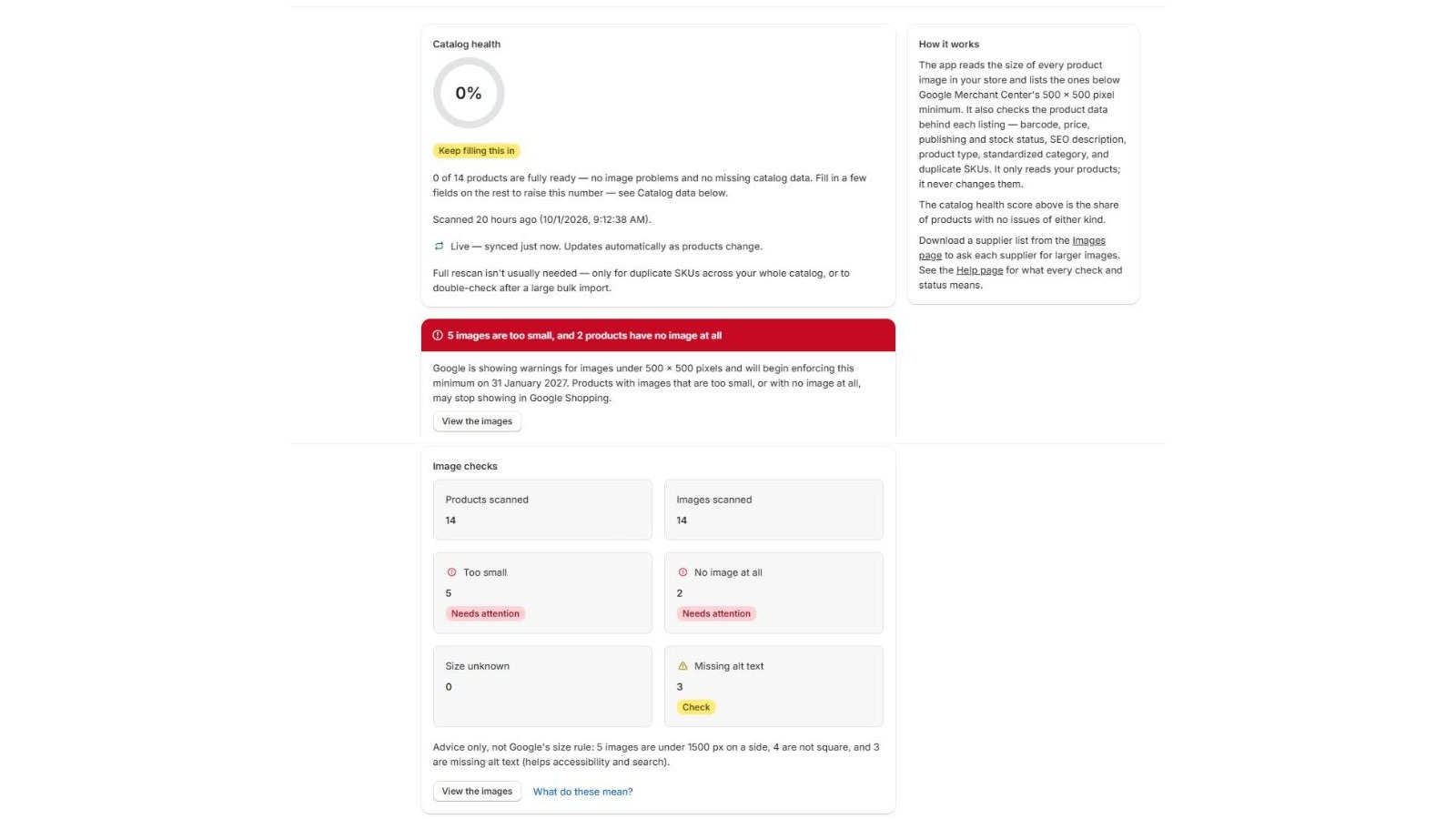
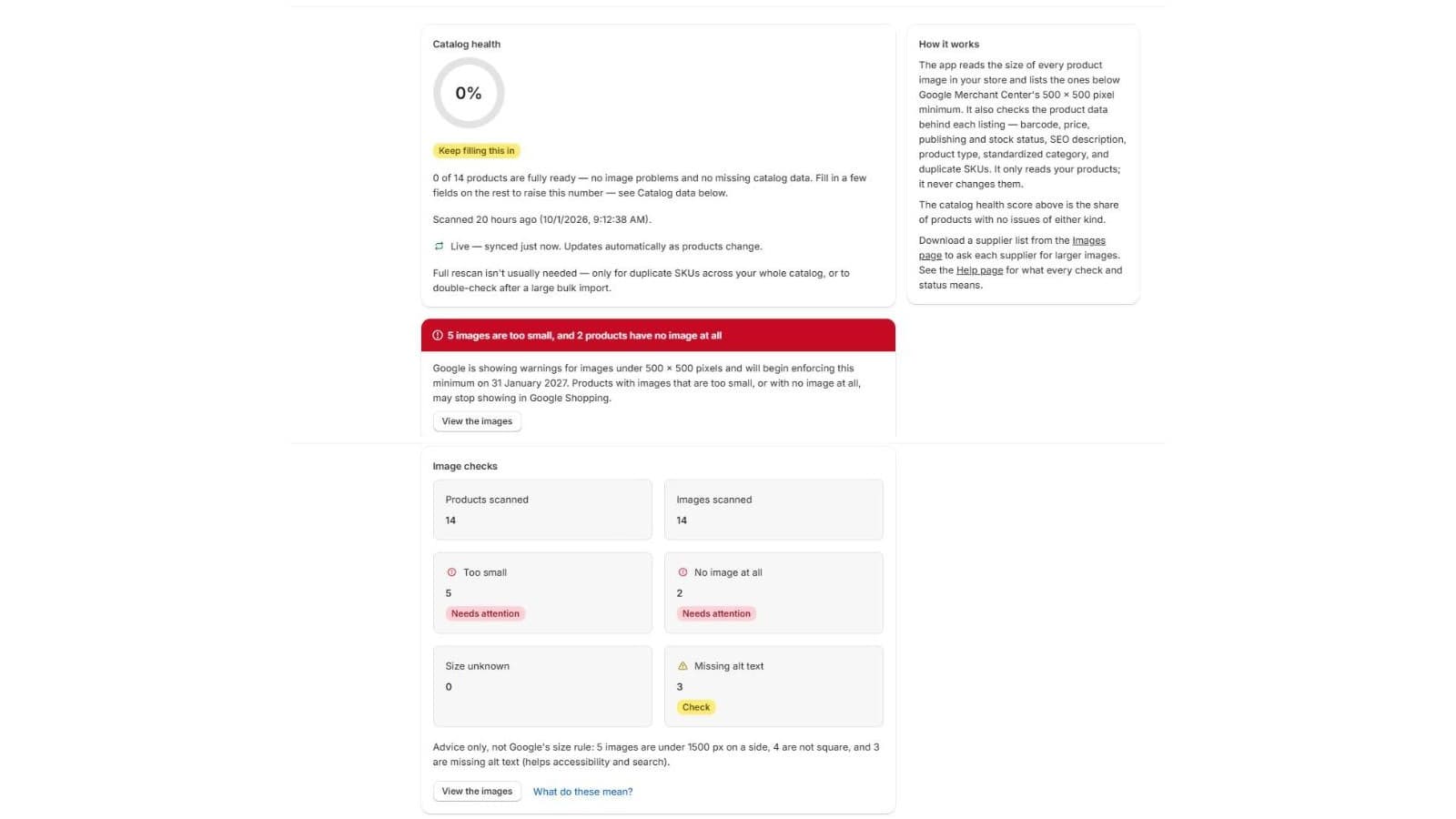
It scans every product image and reports exact pixel sizes. It flags what falls under the minimum, explains each problem in plain language and suggests the fix. It checks catalogue data alongside images (missing barcodes, prices, SEO descriptions and so on), and keeps itself current as products change. It reads products and never changes them.
That's the what. The next post is about how, including the bug that taught me never to trust an ID.
Next: Part 2 — Building it.