Building it — bulk operations, a bug that hid 500 rows, and 200+ tests
Keith Pillay · 1 October 2026 · 4 min read
Part 1 covered why this app exists. This part is the build: the architecture, the decisions I'm glad I made, and the bugs that taught me the most.
The stack
I started from Shopify's official React Router app template with Polaris web components for the UI, and Prisma for the data layer: SQLite while developing, Postgres (on Neon) for the integration tests and production. Everything talks to Shopify through the Admin GraphQL API, which is also a current App Store requirement for new public apps. The only scope requested is read_products.
One scan path, at every size
The first real design decision was how to read a whole catalogue. Paging through GraphQL works for small stores and falls apart for big ones, because of query cost limits and rate limits. I used bulk operations for the full scan at every size, so there is exactly one implementation to test.
The result arrives as a JSONL file that I stream line by line, never loading it whole. I wrote that up in detail in Shopify bulk operations: scanning a whole catalogue.
Measured results, from my own test runs:
| Test | Result | |---|---| | Real bulk operation, 1,014 products | about 10 seconds end to end | | Real bulk operation, 6,013 products | 36.3 seconds | | Synthetic 100,000 products, 20,000 failing images | 25.2 seconds, ~49 MB peak memory growth | | Same 100,000, with all eight catalogue checks firing on 10,000 products | 95.7 seconds, ~177 MB peak memory growth |
The 100,000-product runs are synthetic data pushed through the real parser and a real database, to check that nothing falls over. The 6,013-product run is a real Shopify bulk operation on a development store.
The bug that hid 500 rows
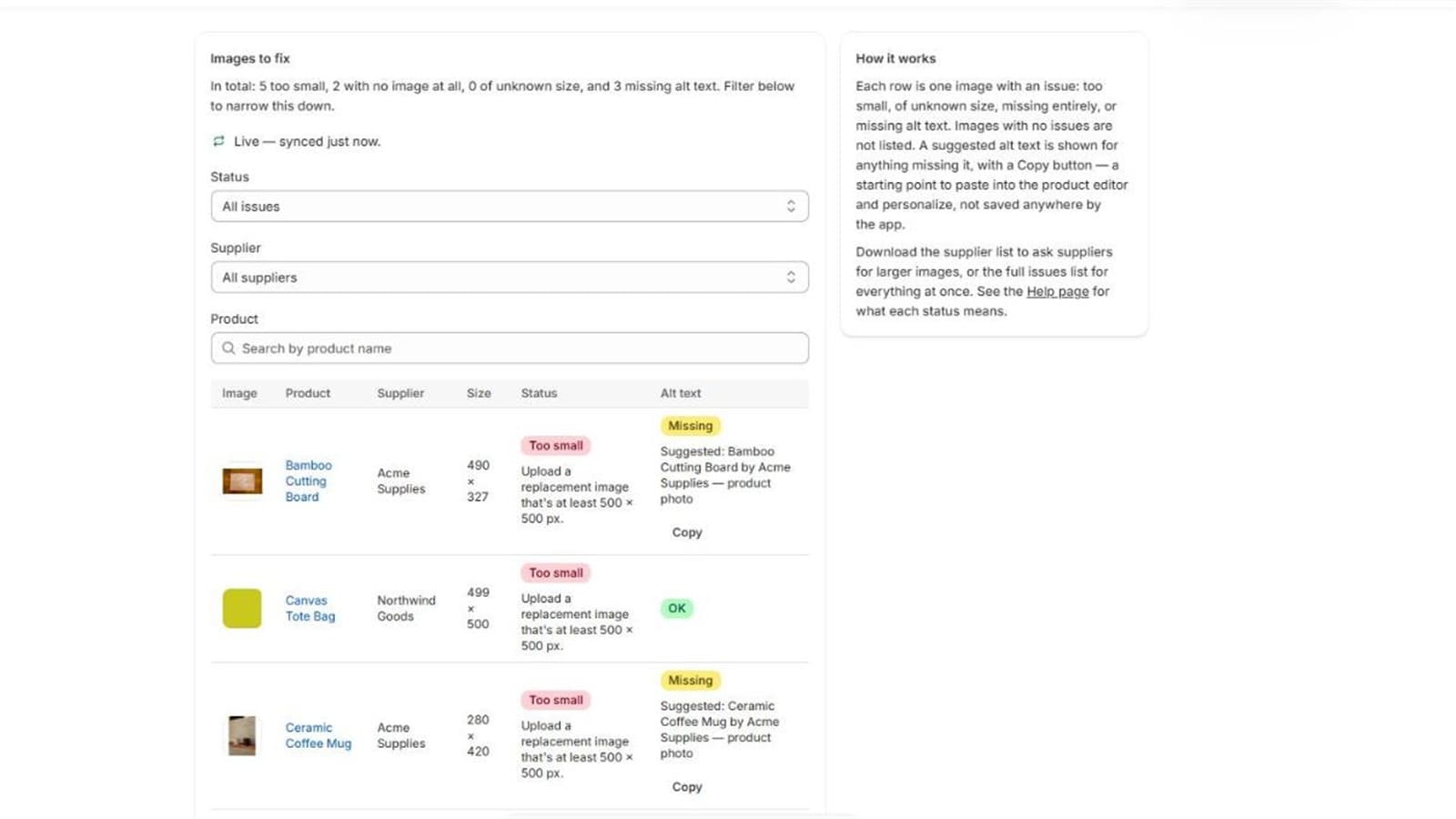
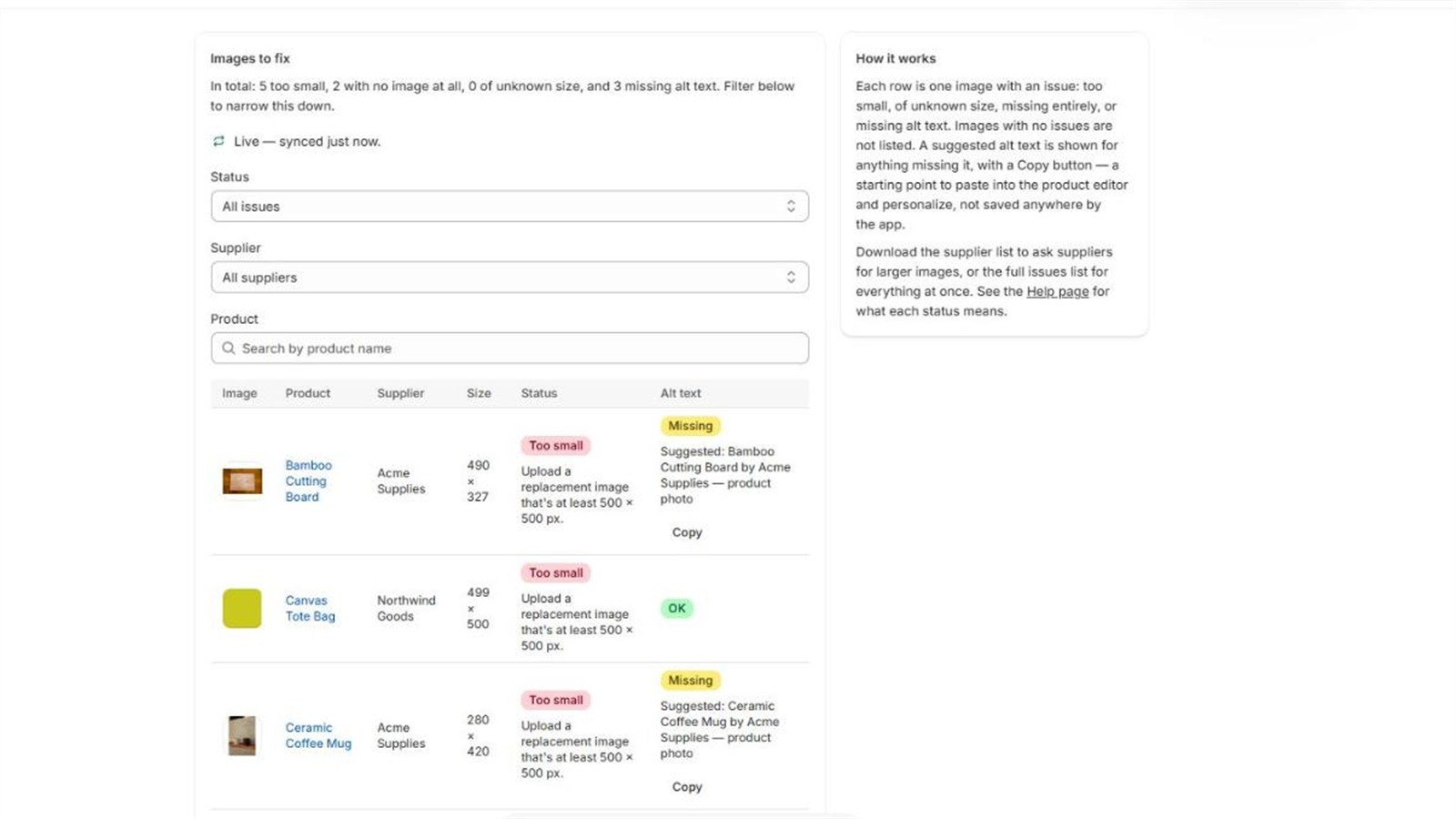
My first scale test reported the right totals but only stored 7 of 507 failing images. The cause: Shopify reuses one media (file) ID for every product that uses the same file. My 1,014-product test had 1,015 image entries but only 15 unique media IDs, and I was keying results by media ID alone, so rows silently overwrote each other.
The fix was a composite key of shop, product and media ID. The lesson is worth more than the fix:
- Never trust an ID to be unique across the thing you think it's unique across.
- Assert that stored rows equal scan totals. The totals were right, which is exactly why nothing looked wrong. I added that invariant as a test.
- Test with duplicated IDs, not just clean ones.
I wrote this one up separately: The Shopify media ID that hid 500 rows.
Keeping results current without rescanning
A scanner that's stale the moment a merchant edits a product isn't much use. The app subscribes to product create, update and delete webhooks. The webhook handler does almost nothing: verify the signature, then write one row into a queue table. A separate manager drains the queue in batches of up to 200, fetching all the products in a single GraphQL call and writing all the results in one transaction.
Two things from that work stuck with me:
- One transaction per product is a trap. My first version took over a minute for a 200-item batch, because of network latency to the database. Batching the writes into one transaction brought it to about 17 seconds.
- Bounded retries, then quarantine. An item that fails five times moves to a dead-letter table instead of retrying forever or vanishing.
The full design is in Webhooks you can trust.
Boring security that matters
Shopify access tokens are stored encrypted at rest with AES-256-GCM, with the key kept outside the database. It isn't required for an app that never touches customer data, but a plaintext token gives direct API access to a whole store, so it was cheap insurance. Details in Encrypting Shopify access tokens.
Testing: 182 unit tests and 37 integration tests
At the point of submission, the suite ran 182 unit tests and 37 integration and scale tests, including tests against a real Postgres database. A few habits made them worth having:
- Mutate to prove the test works. Tests that pass first time prove little, so I broke the code on purpose (changing
<to<=, removing a guard) and confirmed the right test failed, then restored it. - Test the real pipeline at scale. A synthetic 100,000-product dataset caught problems a small fixture never would.
- Verify the real thing too. Unit tests passed while the page itself failed to load in the browser, which leads to the next section. I wrote about my approach in Testing a Shopify app.
The embedded-UI traps
Two lessons cost me time because every automated check stayed green:
- Importing a
.servermodule into component code (even just a constant) made the browser bundle fail, and the page never loaded: an endless spinner. Typecheck, lint and unit tests all passed. Now I run a build and load the page after every route change. - React 18 doesn't turn custom-element event props into listeners, so the Polaris table's built-in pager did nothing. Standard links worked. I now treat every handler on a custom element as unproven until I've clicked it in the real frame.
More on those in Embedded Shopify app UI: the traps.
What I'd tell myself at the start
Build the boring invariants early (totals equal rows, queue drains to zero). Prefer one code path to two. And measure at scale before the scale surprises you.